Finding Content in Geoshape
Te Urewera Geoshape Search
You will find the Search field at the top of every Geoshape page. When you type in the search field, Geoshape will list the Layers, Maps, and Documents that match the text you’ve entered. Click on the word in the list to go to that resource.

Geoshape Toolbar
Browsing Layers
The Layers page lets you browse data that has been uploaded to Te Urewera Geoshape. From the Layers page, you can see how many times a layer has been viewed and it’s average user rating. You can also Download the layer data, create a map, or go to a the layer detail page.
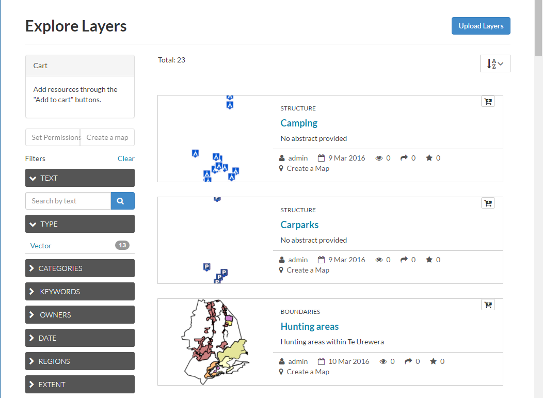
Layers Page
View by Layer Type
The view in the layers page can be subset by Raster or Vector
Browsing Maps
The Maps page lets you browse data that has been uploaded to Te Urewera Geoshape. From the Maps page, you can see how many times a map has been viewed and it’s average user rating. You can also Download the layers for the map, view the map, or go to a the map detail page for more information.
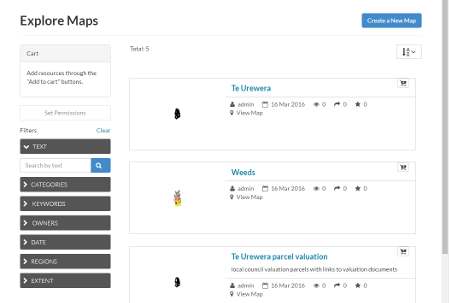
Maps Page
Filtering Results
There are several different ways to manage the list of the maps, layers or documents you’re viewing. The Layers, Maps and Documents pages provide the ability to filter by categories, date range, or keywords.
Filter by Categories
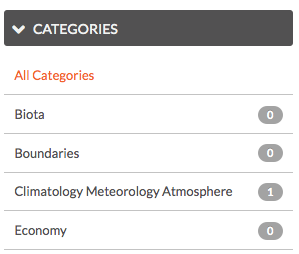
Category Filter
You can filter Layers or Maps by Categories. When the metadata for a layer or a map has been tagged with a specific category, it will be reflected in the Categories panel. Clicking on the first category limits the layer list to those tagged with that category. Clicking on another category adds the layers from that category to the layer list. Clicking on the category again will remove it from the layer list.
Filter by Date Range
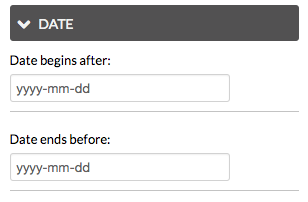
Date Range Filter
You can limit the list of layers or maps by a date range. In the Date panel select the start date and the end date for the date range. The view will update to reflect those layers or maps that were created within that timeframe.
Filter by Keywords
You can filter the Layers or Maps associated with a particular keyword. The keywords are saved in the metadata. To edit the keywords for an item you need to go to the Edit Metadata tab for the specific item (map, layer or document).
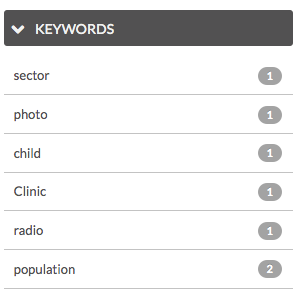
Keyword Filter