Uploading Documents
Geoshape lets you upload documents to associate to layers or maps.
In the documents page, click on Upload Documents
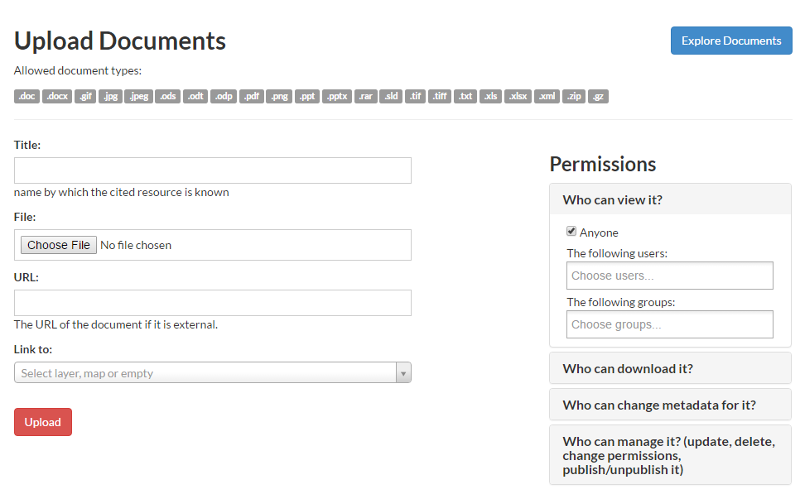
Upload Documents tab
Type in the Title for the Document that will appear in Geoshape
Browse to the file to upload or enter the URL for a web page or a document that’s online.
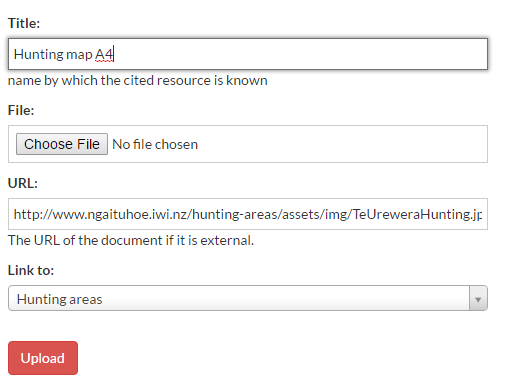
Upload a Doc as a URL
If you want to link the document to a map or a layer, choose it in the Link to section
Set permissions for who is able to view and manage the document accordingly
Click on the Upload button
The next page will allow you to enter metadata for the document. You should always enter descriptive information in the Abstract and check a Category at a minimum, more information is better and will help others understand the value of the document.
When you have finished entering metadata click on the Update button at the bottom of the page.
The document will now be listed in the documents tab.